

How to Submit a DNA Test Request via Helical
This guide explains how to submit a DNA test request through the Helical online portal for tissue samples. It does not cover the use of hair samples.
Before You Start
Make sure you have the following ready before logging in:
- Your Helical login email address
- Your animals registered and active on the system
- Tag numbers for the animals you wish to test
- Tissue samples already sent to the Society office
- Confirmation of whether any additional genetic tests are required
Step 1
Access the Helical Portal
- Visit www.aberdeen-angus.co.uk
- Click the Helical tab at the top of the page
- Select Login (top right)
- Enter your email address and click Continue

Step 2
Create a New Test Request
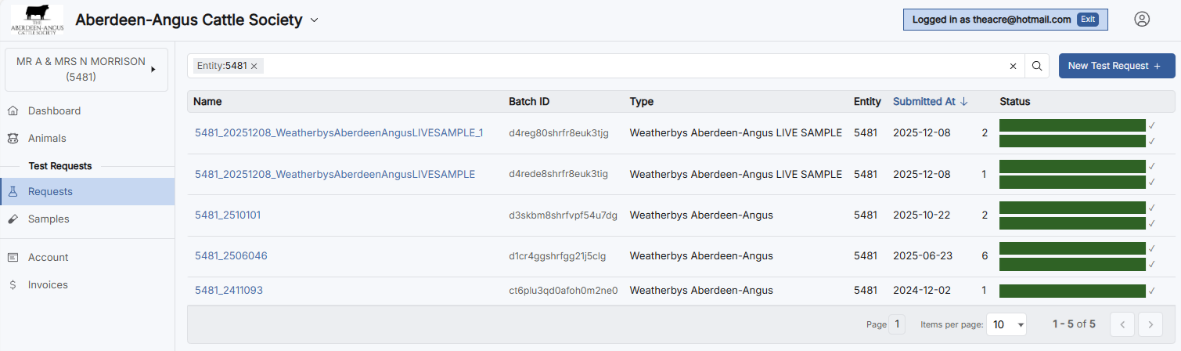
- Select Requests from the left-hand menu
- Click New Test Request (top right)
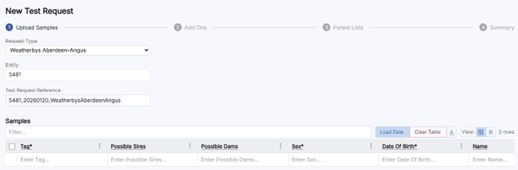
- Under Request Type, select: Weatherbys Aberdeen-Angus
- Under Entity, enter your Society Membership Number — this will usually auto-populate
- Select Load Data
Step 3
Select Animals
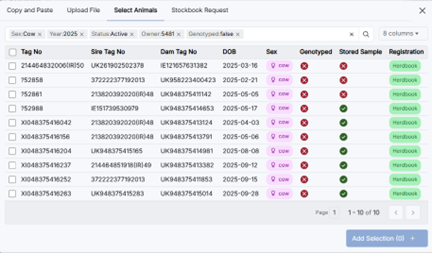
- Click Select Animals from the tabs at the top of the Samples section
- Your registered animals will be listed — tick the animals you wish to include
- Once you have made your selection, click Add Selection
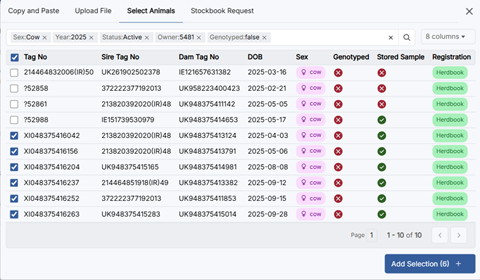
Your selected animals will now appear in the Samples table.

Click Next to proceed.
Step 4
Add Ons (if Required)
If additional genetic tests are needed, select the appropriate bundle for each animal at this stage. Available bundles and their contents are listed on screen. Costs are displayed in the cost column before you proceed.
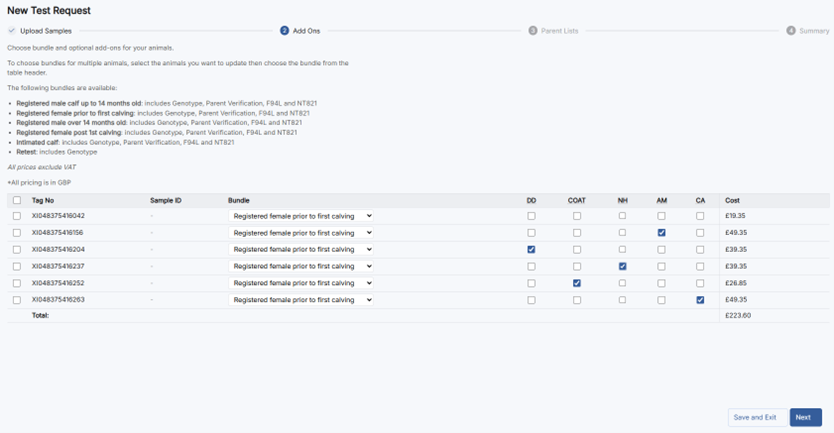
Click Next to proceed.
Step 5
Parent Lists (if Applicable)
This screen allows you to nominate a list of potential sires or dams as a fallback for parentage discovery. This step is optional — if you are satisfied with the sire and dam nominations already attached to your animals, you can proceed without adding anything here.

Click Next to proceed.
Step 6
Review and Submit
A full summary of your request will be displayed, including all animals, bundles, and total cost. Check all details carefully.
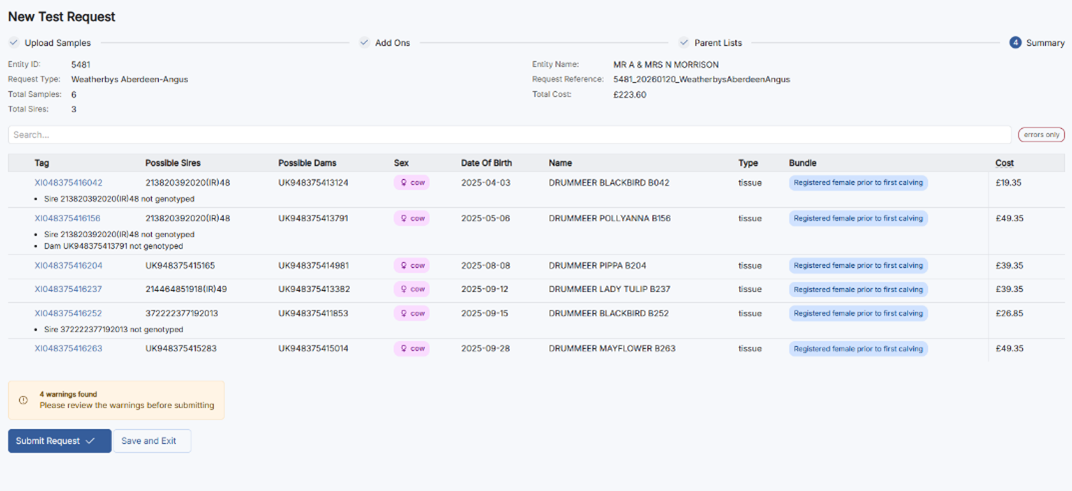
When ready, click Submit Request, then confirm by clicking Submit in the dialogue box.
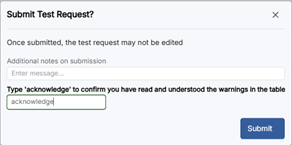
Your request is forwarded to the Registrations Department for approval. You will see a pending status on your request until it has been reviewed.

What Happens Next?
- The Registrations Department reviews your request
- Approval confirmation is issued
- Charges are applied in line with the Society fee schedule
- The DNA Laboratory begins profile extraction
- The office checks parentage after extraction
- Results are uploaded directly to the animal's record
For current DNA testing prices, refer to the Society website or contact the office directly.
Tracking Your Request
All submitted test request batches can be tracked from the Requests section of the Helical portal. The status column shows progress for each batch.
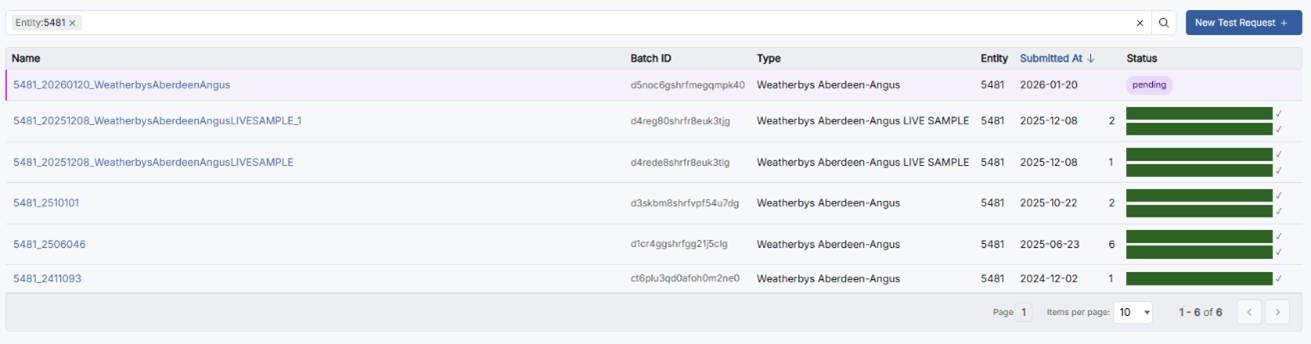
Guide last updated: February 2026