
How to create an Animal Disposal via Helical
This guide explains how to create a disposal for an animal via Helical.
Before You Start
Make sure you have the following ready before logging in:
- Your Helical login email address
- Your animals registered and active on the system
- Tag numbers for the animals you wish to dispose of
Step 1
Access the Helical Portal
- Visit www.aberdeen-angus.co.uk
- Click the Helical tab at the top of the page
- Select Login (top right)
- Enter your email address and click Continue

First time logging in? You will receive an email prompting you to set your password before proceeding.
Step 2
Create a New Disposal
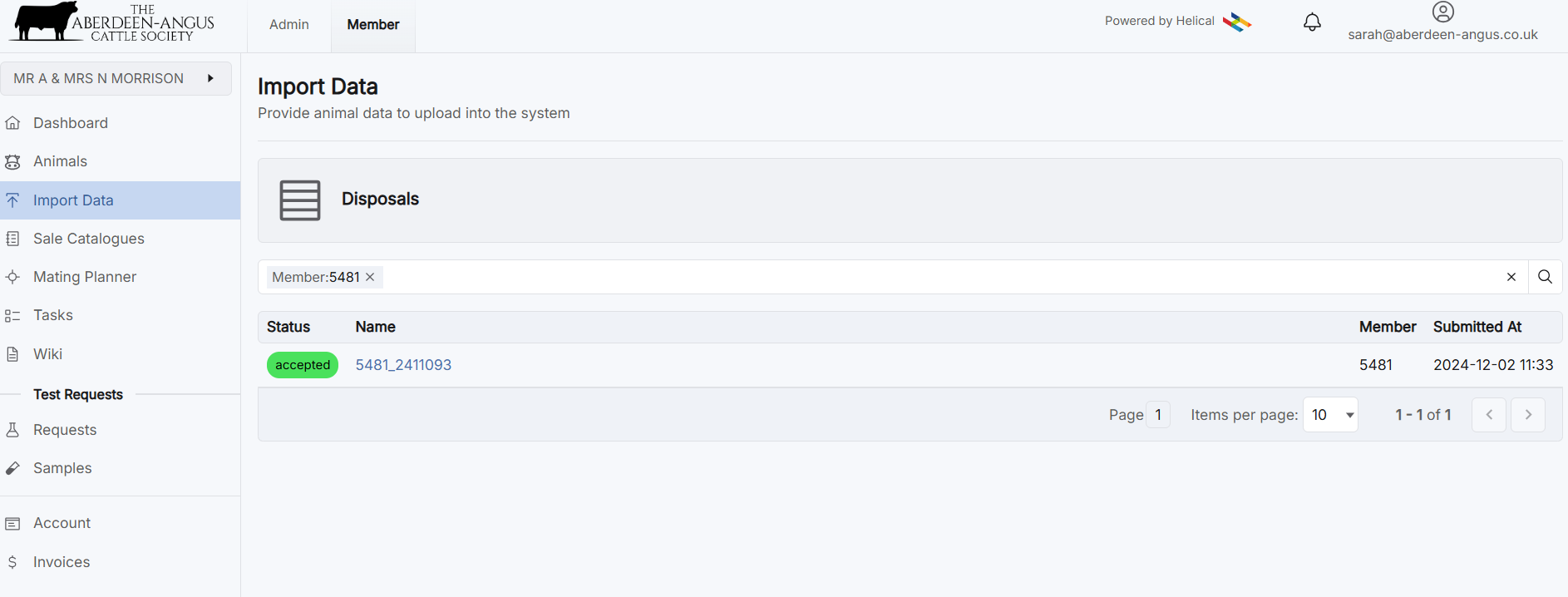
- Select Import Data from the left-hand menu
- Click Disposals
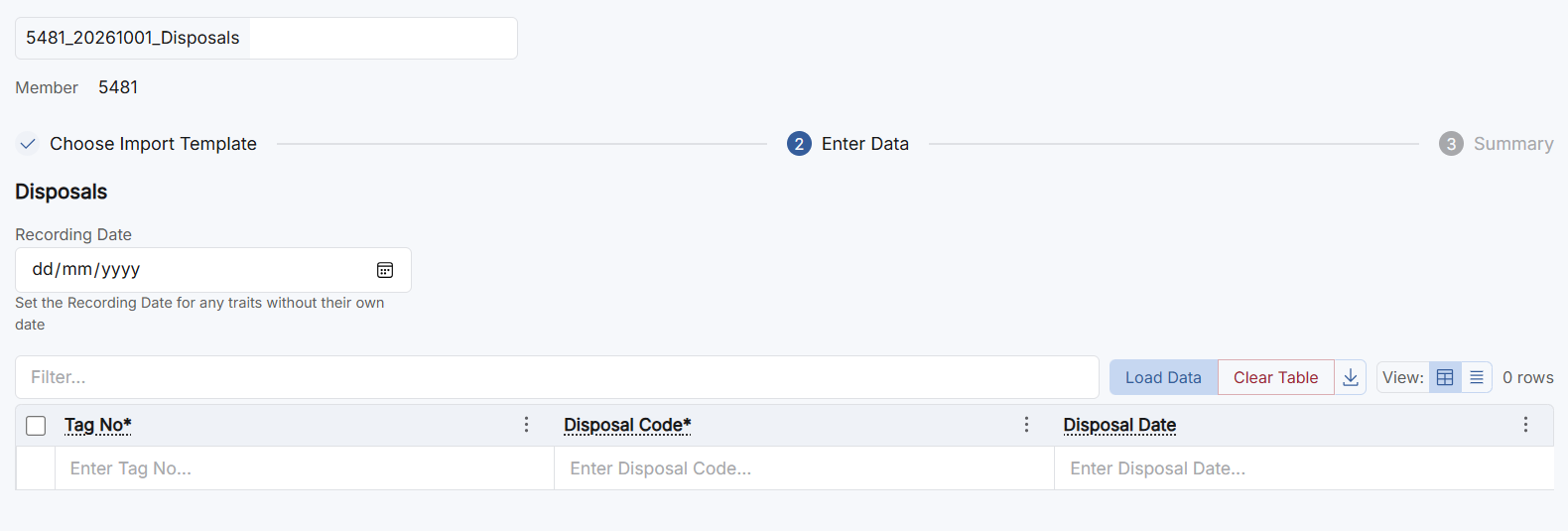
- Under Recording Date, input the date of recording
- Select Load Data
Step 3
Select Animals
- Click Select Animals from the tabs at the top of the section
- Your animals will be listed — tick the animals you wish to include
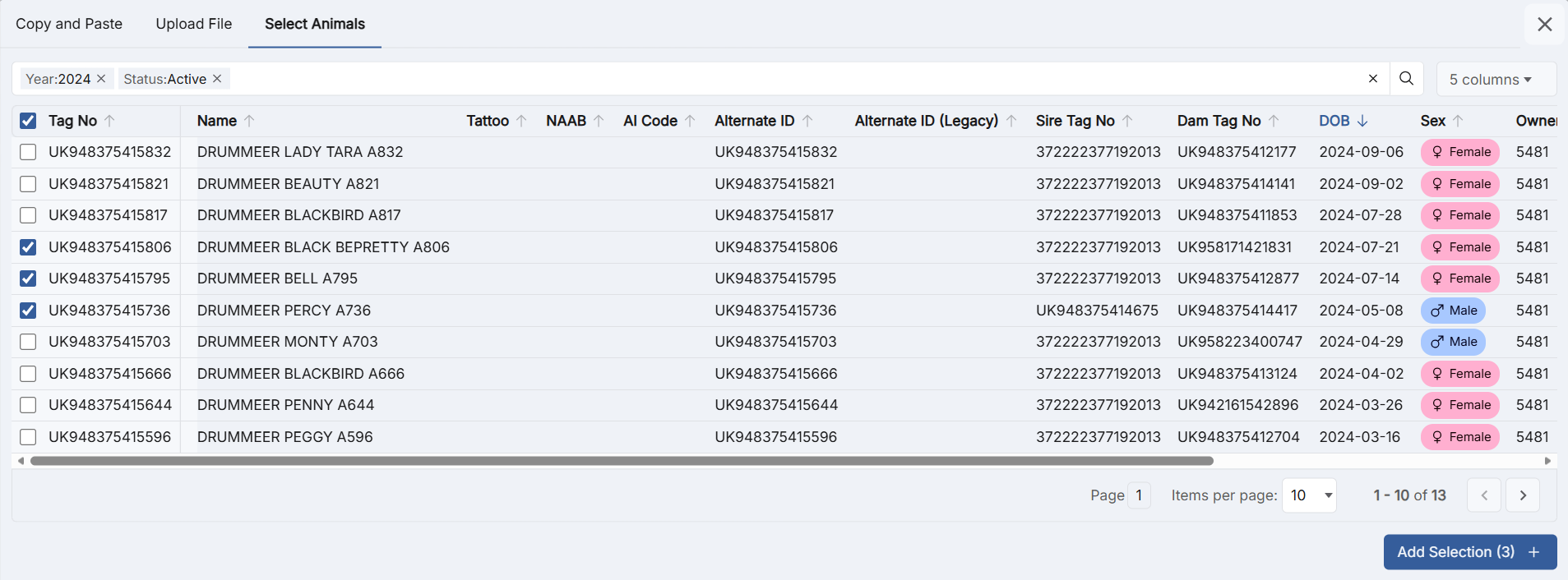
- Once you have made your selection, click Add Selection
Your selected animals will now appear in the table.
Step 4
Disposal Code
You must select the relevant code that applies to the animal, i.e. (3) Sold Finishing/Slaughter.
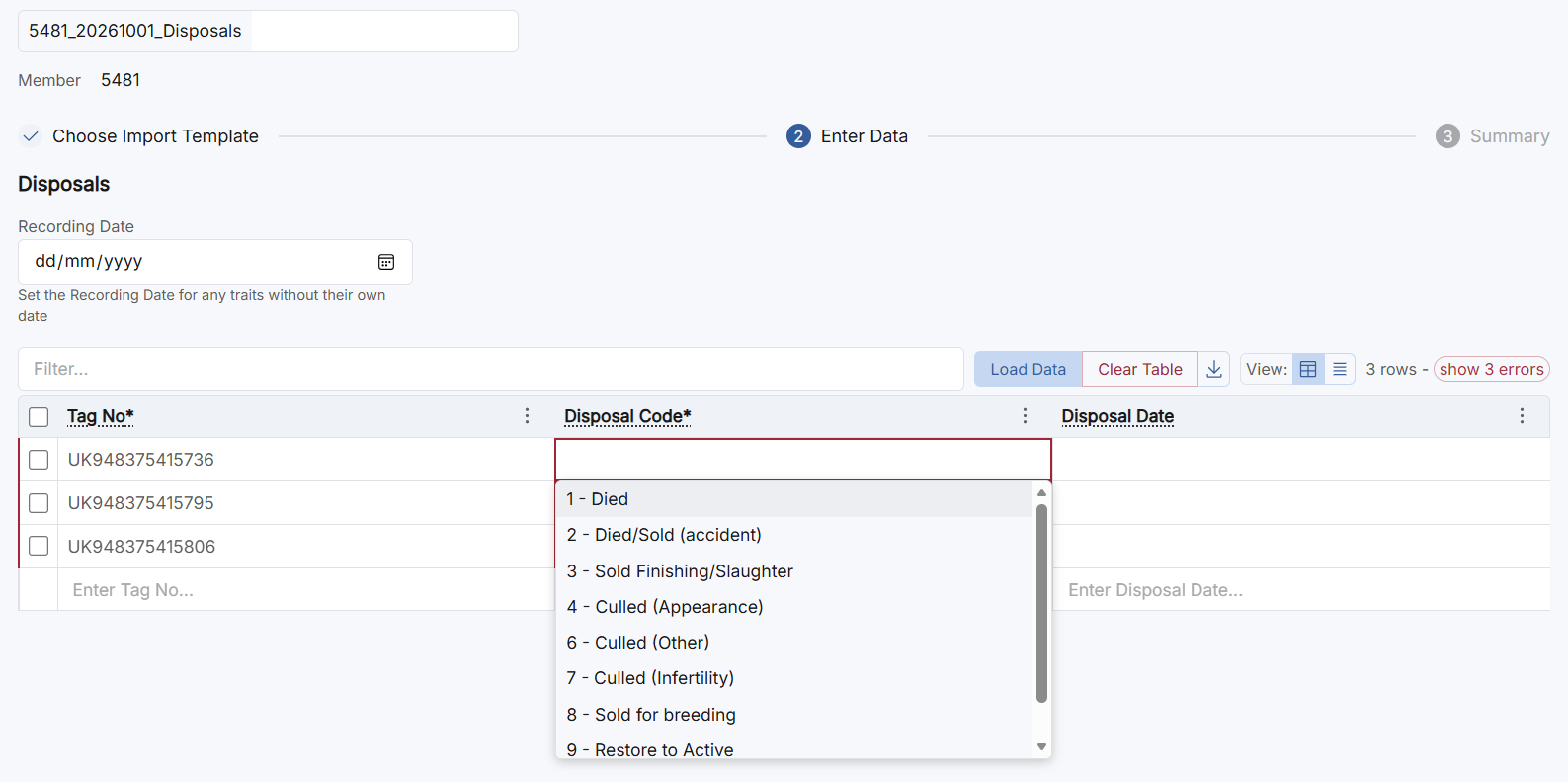
Select the code for each animal, followed by the date of disposal.
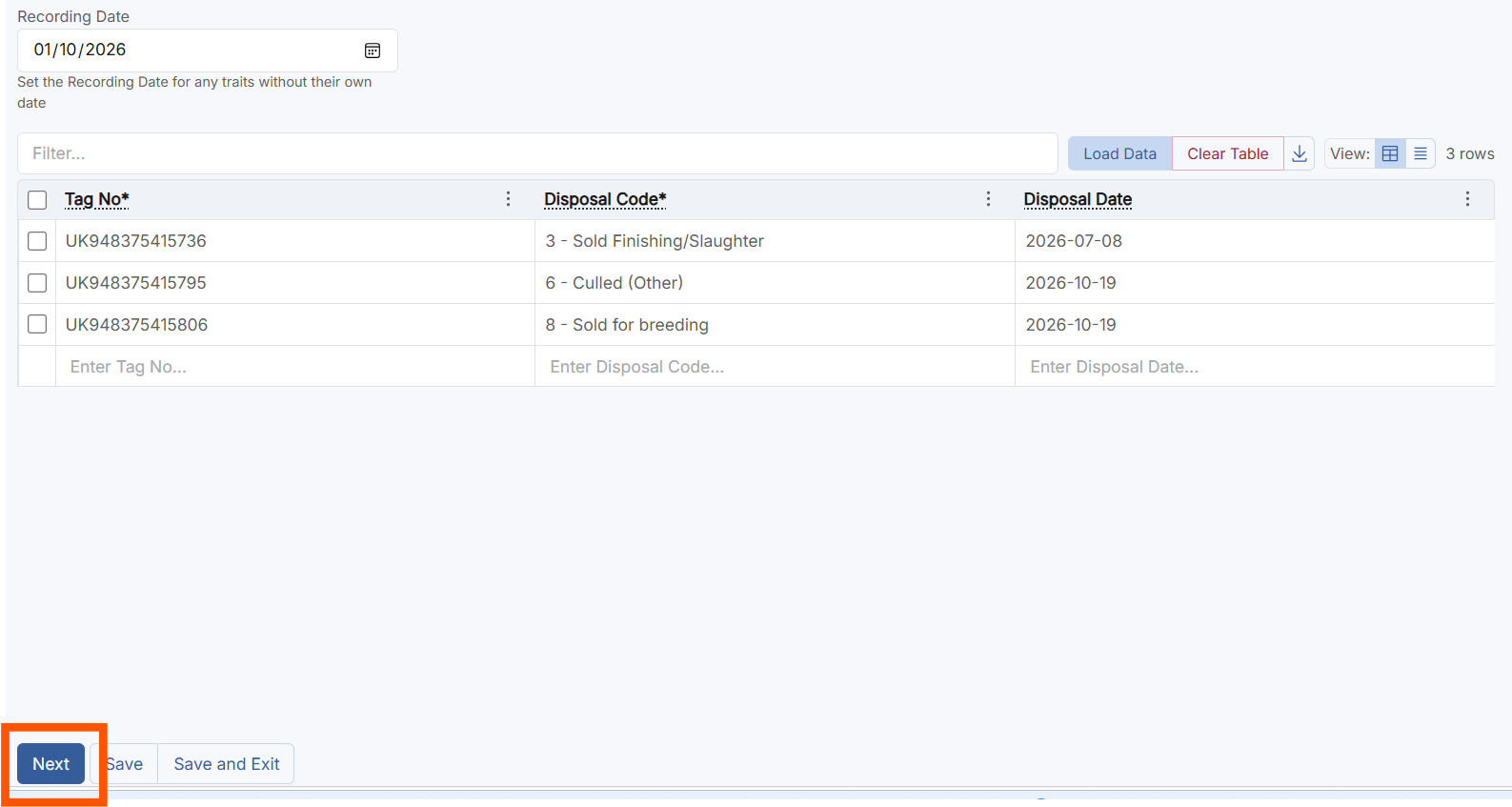
Once you have completed this step, click Next.
Step 6
Review and Submit
You will then be prompted to submit the disposals.
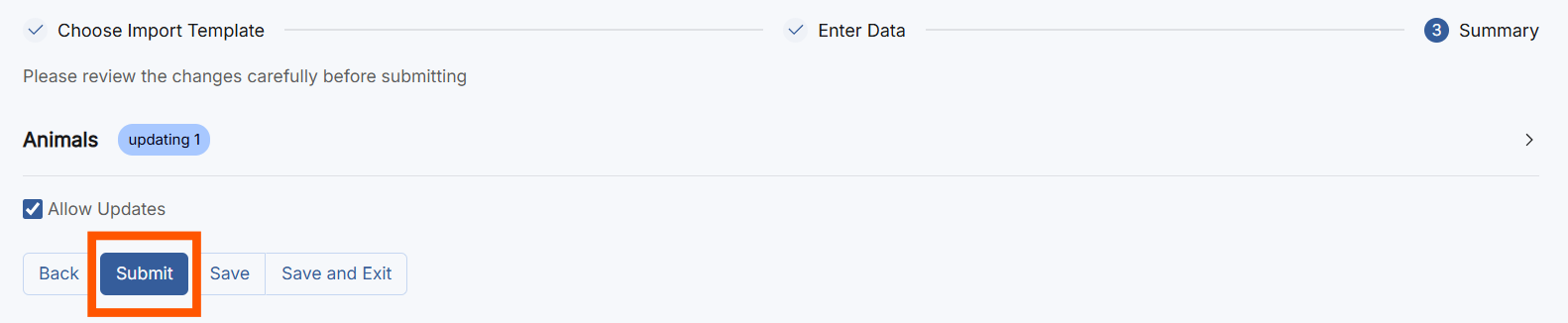
Guide last updated: October 2026